
Translate the web in Chrome without leaving the page.

Tolk is a free translate extension for Chrome. Double-click a word to see what it means, select a sentence to translate it, or switch the whole page to your language and back in one click.

Add to Chrome

Free. No account needed. 130+ languages.

Pendeln im Herbst

Die Sitzung wurde auf Montag verschoben, weil der Zug aus Lissabon wieder Verspätung hatte. Niemand im Büro war überrascht.

Seit September fahren die Züge seltener, und die Pendler planen ihren Tag inzwischen mit einer Stunde Puffer.
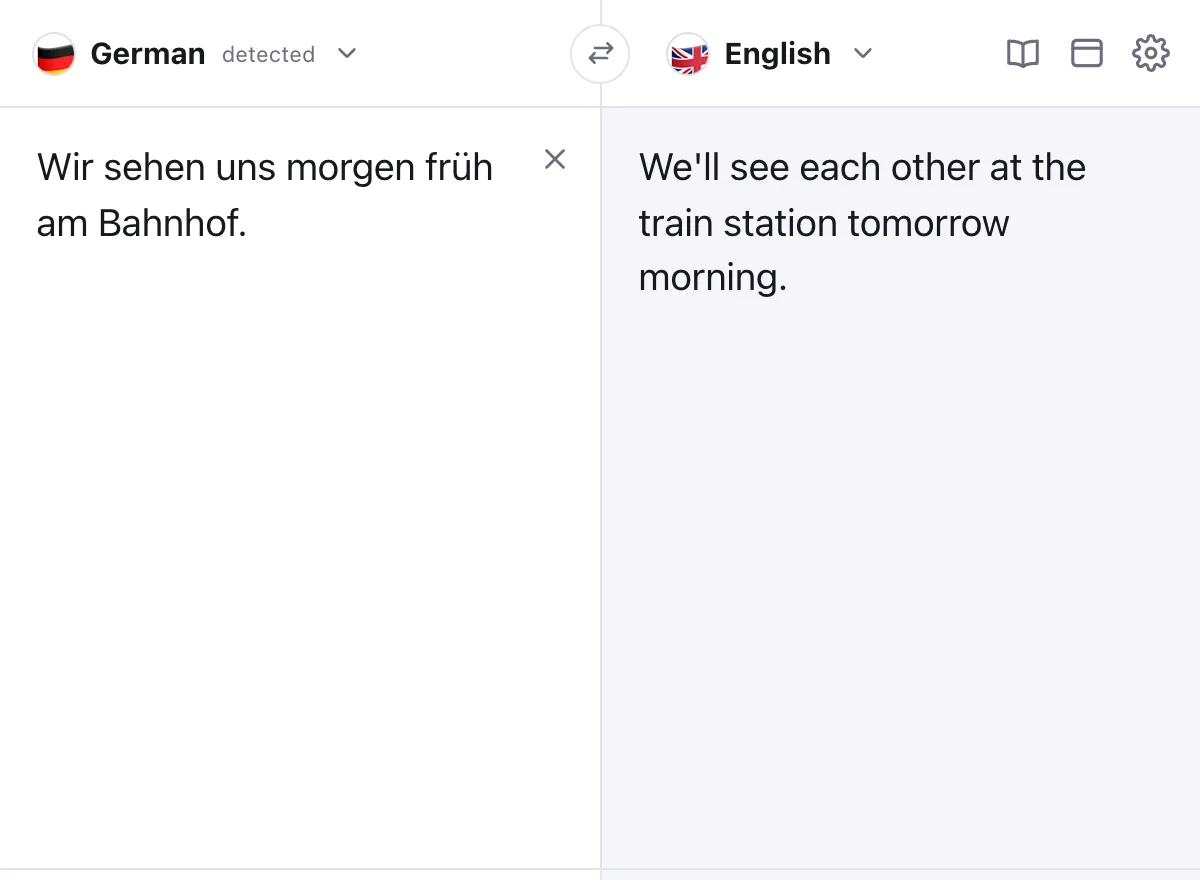
Try it: double-click any German word, or select a sentence.

Every way you'd want to translate

Translate selected text

Select a sentence on any site and click the Tolk button next to it. The translation opens right beside the text, and it works inside text fields too.

Double-click dictionary

Double-click a word to see its meanings by part of speech, with back-translations that help you pick the right one. It even works on link text.

Whole pages, in place

Translate the page you're on and switch back to the original instantly. Links, bold text and code stay exactly where they were.

  • Pronunciation and transcription. Hear the original and the translation, and see how a word is said.
  • PDF files. Select text in a PDF, right-click and choose Translate.
  • Keyboard shortcuts. Alt+Shift+T for a selection, Alt+Shift+P for the page.
  • Auto-translate sites. Pick the sites you always want in your language.
  • Voice input. Speak instead of typing in the toolbar translator.
  • History. Find any earlier translation, stored only in your browser.
  • On-device mode. Keep text on your computer where Chrome supports it.
  • Light and dark. Follows your system theme, on every site.

How to translate a web page in Chrome

Tolk translates the page where it is. Links keep working, bold stays bold, code stays code. New content is translated as you scroll.

  1. Add Tolk to Chrome. It takes a few seconds and needs no account.
  2. Open any page and press Alt+Shift+P. Or click the Tolk icon and choose Translate this page, or right-click the page.
  3. Read, then flip back. Click Original whenever you want to check the source.
Spanish to English

Guía rápida de Lisboa

Compra la tarjeta Viva Viagem en cualquier estación de metro. Funciona en el tranvía y en los trenes a Sintra.

Consejo: el tranvía 28 se llena antes de las diez de la mañana.

Why not just open a translator tab?

With a translator tab

  1. Copy the text
  2. Open a new tab
  3. Paste it
  4. Read the translation
  5. Find your place on the page again

With Tolk

  1. Double-click or select
  2. Read the translation next to the text

You never leave the sentence you were reading.

Light enough to forget it's there

Translator extensions run on every page you open, so their weight adds up. Tolk is built to cost nothing until you use it.

Tolk Translate 1.0 163 KB
Mate Translate 12.1 2.74 MB
Download size. Mate Translate size as listed in the Chrome Web Store, November 2026.
  • Nothing runs on a page until you select text.
  • Long pages translate the visible part first, in small batches, so scrolling stays smooth.
  • Repeat translations come from a local cache and appear instantly.

What you read stays yours

No account
Install it and start translating. There's nothing to sign up for.
No analytics, no ads
Tolk doesn't track what you read or how you use it.
Sent only when you ask
Text goes to Google Translate only when you request a translation.
Stored in your browser
History and settings never leave your device. Clear them any time.

Read the privacy policy

130+ languages, both ways

The source language is detected automatically. When text is already in your language, Tolk translates it into your second language instead.

  • English
  • Español
  • Deutsch
  • Français
  • 中文
  • 日本語
  • 한국어
  • العربية
  • हिन्दी
  • Português
  • Italiano
  • Русский
  • Українська
  • Polski
  • Türkçe
  • Nederlands
  • Svenska
  • Ελληνικά
  • עברית
  • ไทย
  • Tiếng Việt
  • Bahasa Indonesia
  • فارسی
  • Kiswahili

Questions, answered

How do I translate a web page in Chrome?

Install Tolk, open the page and press Alt+Shift+P. You can also click the Tolk icon and choose Translate this page, or right-click the page. The page is translated in place. Press the shortcut again or click Original to switch back.

How do I translate selected text in Chrome?

Select the text and click the Tolk button that appears next to it, or press Alt+Shift+T. To look up a single word, double-click it.

Is Tolk Translate free?

Yes. Every feature is free and you don't need an account.

Can Tolk translate websites automatically?

Yes. Open the Tolk popup on a site and turn on Always translate. The site is translated each time you open it, until you turn it off.

Is Tolk an alternative to the Google Translate extension?

Yes. Tolk uses Google Translate for translations and adds a double-click dictionary with transcription, in-place page translation with an instant switch back, translation history and a private on-device mode.

Does Tolk translate PDF files?

Yes. Select text in a PDF opened in Chrome, right-click and choose Translate. The translation opens in a small window.

Which languages are supported?

More than 130 languages, including English, Spanish, German, French, Chinese, Japanese, Arabic, Hindi, Russian and Ukrainian. The source language is detected automatically.

Is my text private?

Tolk has no account, analytics or ads. Text is sent to Google Translate only when you ask for a translation. History and settings stay in your browser, and in Chrome versions with on-device translation you can keep text on your computer.

Which keyboard shortcuts does Tolk use?

Alt+Shift+T translates selected text, Alt+Shift+P translates the page or shows the original, and Alt+Shift+Y opens the translator. You can change them at chrome://extensions/shortcuts.

Read the whole web in your language.

Add to Chrome

Free. No account needed.